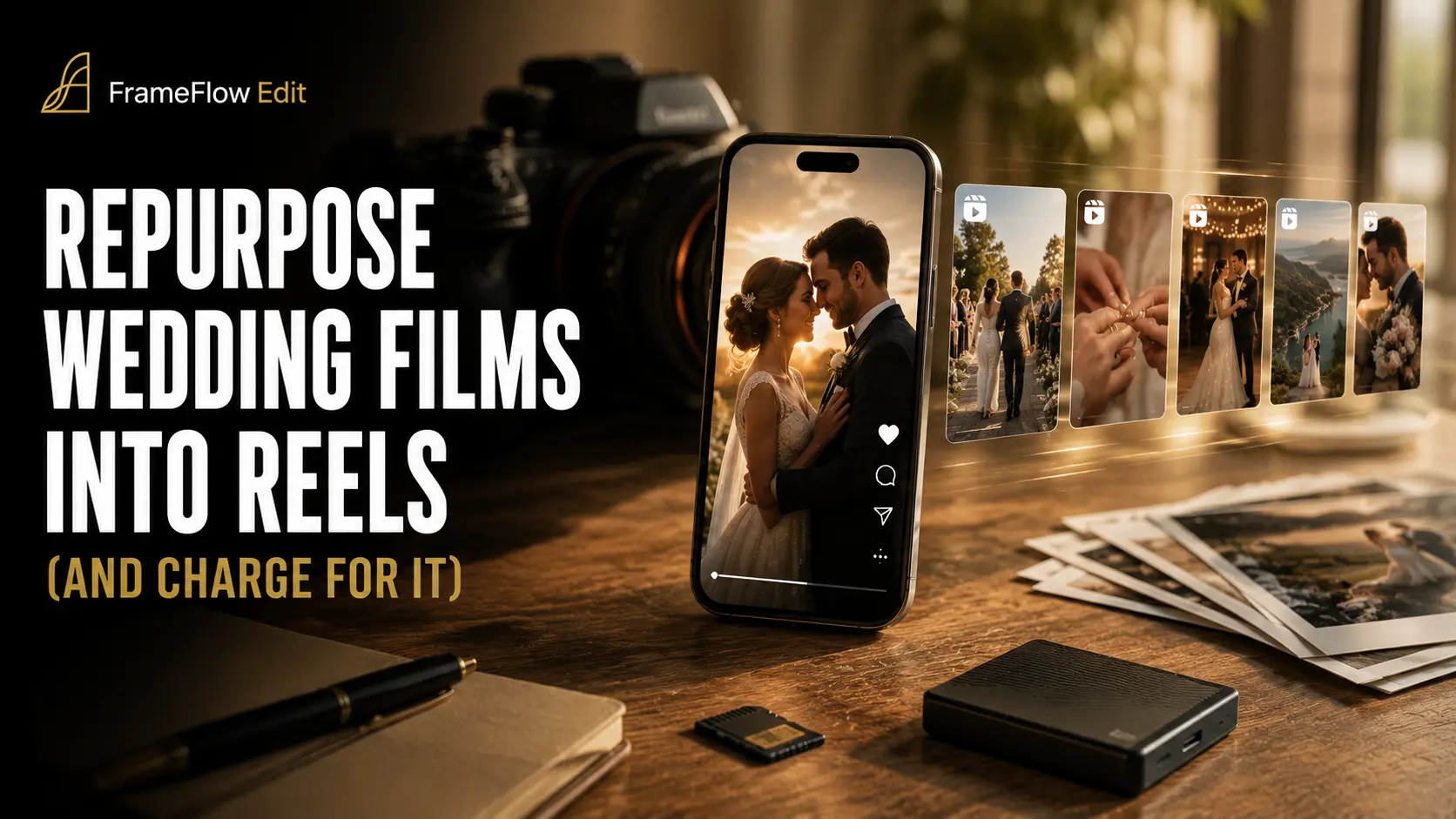
Why Reels Are Now a Separate Revenue Line
The wedding industry's delivery expectations have shifted faster than most videographers' pricing sheets. According to the Zola 2026 Wedding Spend Survey, dedicated wedding content creators — professionals hired specifically to produce short-form social content on the day — ranked as the #1 unique vendor category couples added to their budgets this year. That single data point signals a structural change: couples no longer see a cinematic highlight film and a polished Instagram Reel as the same product. They want both, and they're willing to pay separately for each.
The numbers back up the opportunity. Specialist wedding content creators — sometimes called "wedding day content creators" or "social media shooters" — are charging $500 to $2,800 per event purely for short-form vertical deliverables. Meanwhile, survey data consistently shows that 68%+ of Gen Z couples prioritise a social-first deliverable: something shareable within 24–48 hours of the wedding, optimised for Reels, TikTok, and Stories. If you are a videographer who already attended the event, captured every key moment, and walked away with terabytes of footage, you are sitting on the raw material for exactly that product — without a single additional hour of shooting time.
This is the gap most videographers are leaving on the table. A standard highlight film package is priced as a single line item. The Reel — a 60-to-90-second vertical cut with punchy pacing, trend-aligned audio, and platform-native captions — is a distinct deliverable with distinct perceived value. Couples share Reels; they rarely share a 5-minute film link. That shareability translates to organic reach, vendor tags, and emotional virality that the couple genuinely craves. When you don't offer it, they either go without or hire someone else who was also at their wedding.
The business case is straightforward: your marginal cost of producing a Reel from existing footage is editing time only. If you brief a specialist editor to match your style, that editing time can be delegated entirely — meaning the Reel add-on becomes incremental revenue with near-zero additional labour on your end. Pair that with a clear understanding of music licensing when you outsource, and the operational lift is minimal. The question isn't whether the market wants this product. It already does. The question is whether your pricing menu reflects it.
What Makes a Wedding Reel Different from the Highlight Film
Most wedding videographers already know what a highlight film is — but when clients or planners ask for "something for Instagram," it's tempting to simply export a cropped-down version of what you already cut. That instinct will cost you quality, credibility, and a legitimate upsell opportunity. A wedding reel and a highlight film are fundamentally different products, built on opposite editorial philosophies.
The highlight film is a 4–7 minute, 16:9 cinematic piece. It's paced like a short film: it breathes, it builds, it honours the full arc of the day — ceremony, vows, first dance, speeches. The audio is usually a licensed, full-length track carefully synced to emotional beats. It's designed to be watched once, attentively, on a big screen or laptop. It's an heirloom. (If you're still working through your music licensing approach for these deliverables, the guide on music licensing for wedding videographers who outsource editing is worth a read before you repurpose anything.)
The social reel operates on entirely different rules. It's 15–90 seconds, shot and framed for 9:16 vertical playback, and it has one job in the first 2–3 seconds: stop the scroll. The hook comes first — a gasp-worthy reaction shot, a dramatic kiss, a confetti explosion — before any context is established. Audio is either a trending sound or a short royalty-free clip, chosen for shareability rather than cinematic weight. The emotional peak is front-loaded, not earned over minutes.
This is the core reason you cannot simply crop the highlight film and call it a reel. Cropping changes the frame but leaves the pacing intact — and slow, story-first pacing kills engagement on social within the first three seconds. A true social-first edit means returning to the raw or selects timeline, identifying the single most visually arresting moment in the entire wedding day, and opening with that. Everything else is built around amplifying that peak. It's a separate creative decision from the one you made when you cut the highlight. If you brief your editor clearly on style and deliverable type, that distinction needs to be explicit — "social-first edit" should be its own line item in every project brief, not an afterthought stapled to the highlight delivery.
Platform Specs: What Your Editor Needs to Know (2026)
Before you brief your editor — or hand off a repurposing project to a white-label team — everyone needs to be working from the same technical baseline. Platform specs change quietly and often; getting them wrong means re-exports, re-deliveries, and unhappy clients. The good news: as of mid-2026, the three dominant short-form platforms have converged on a single master format that covers all of them in one export.
One master export, three platforms. A single 1080 × 1920 H.264 MP4 file — exported at a target bitrate of 15–20 Mbps — meets upload requirements for Instagram Reels, TikTok, and YouTube Shorts simultaneously. When you include this in your outsource brief, your editor renders once and delivers one file per cut. No platform-specific re-encodes, no guesswork. This is exactly the kind of streamlined instruction covered in our guide on how to hand off wedding footage to an editor.
Safe-zone margins are non-negotiable. Every platform overlays UI elements — captions, buttons, profile handles, and action icons — on top of your video. To protect key visual content (faces, rings, vows, tear moments), instruct your editor to keep all critical action between 14% from the top and 20% from the bottom of the frame. That middle 66% of the vertical canvas is your true safe zone. Any title cards, couple names, or graphic overlays should live inside this band. Missing this detail is one of the most common reasons a beautifully edited reel looks amateur on a phone screen.
One more spec worth including in your brief: audio. Platforms auto-compress audio on upload, so instruct your editor to deliver the mix at –14 LUFS (integrated loudness) with peaks no higher than –1 dBTP. This prevents the platform from aggressively normalising your carefully graded sound — a detail that pairs directly with music licensing decisions for outsourced edits, since some licensed tracks already arrive pre-mastered near these targets. When your technical brief is this precise, you reduce revision rounds and can confidently package social reels as a repeatable, chargeable add-on to every wedding delivery.
The Three Reel Formats Worth Adding to Your Packages
Not all social cuts are created equal — and lumping them into a single vague "social media add-on" is exactly why videographers undercharge for this work. The fix is simple: name three distinct formats, define what each delivers, and price them separately. Clients understand tiers. When you give a deliverable a clear identity, it sells itself.
Here are the three reel formats worth building into your packages right now.
1. The Teaser Reel (15–30 seconds)
This is your fast-turnaround hook cut — a single, punchy moment pulled from the ceremony, first look, or a standout emotional beat. It's designed to go live while the wedding is still fresh in the couple's feed, typically delivered within 5–7 days of the event. Because it draws from footage you've already logged, the editing lift is low, making it your easiest upsell. Brief your editor on the one moment to anchor it — a detail covered in our guide on how to brief a video editor to match your wedding style.
2. The Full Social Highlight (60–90 seconds)
This is a vertical-first, emotion-led edit that covers the full arc of the day — getting ready through reception exit — condensed into roughly 75 seconds of tight, rhythm-driven storytelling. Unlike the teaser, this is a standalone film built for Instagram Reels or TikTok, with pacing and music chosen to stop the scroll. It requires its own edit pass (not a crop of the highlight film), so price it accordingly. Music selection is critical here — make sure your licensing is airtight before delivery, as outlined in our music licensing guide for videographers who outsource.
3. The Platform Bundle (3 Optimised Versions)
Your highest-tier offering: one source edit, exported and optimised for three platforms — Instagram Reels (9:16, up to 90 sec), TikTok (9:16, with platform-safe audio), and YouTube Shorts (9:16, up to 60 sec). Each version may have minor timing tweaks, caption placement adjustments, or safe-zone crops to suit the platform's UI. This is the format agencies and content-savvy couples pay a premium for, and it's the easiest to outsource as a single, well-briefed job. A clean footage handoff makes this seamless — see how to hand off wedding footage to an editor for the exact prep checklist.
Having these three formats named and defined does more than help you upsell — it positions you as a full-service visual storyteller, not just a wedding videographer. When a couple sees a clear menu, they choose. When they see a vague add-on, they skip it.
How to Price the Reel Add-On Without Underselling It
Pricing social media reels as an add-on is where many videographers leave serious money on the table — either by throwing them in for free "to be nice" or by pricing so low that clients never perceive them as premium deliverables. The market data tells a clear story: standalone social media trailers in the NYC market run $150–$395 (per Arrakis Films pricing benchmarks), while dedicated wedding content creators who build their entire service around social-first delivery charge anywhere from $500 to $2,800 for a full social-only package. Your reel add-on sits confidently in that range — and should be priced to reflect it.
The most effective structure is a tiered add-on menu that gives couples a clear choice rather than a yes/no decision. A single-tier offering forces clients to either buy in or opt out entirely; a three-tier menu nudges them toward the middle option and anchors the value of the top tier. Here's a framework that works in practice:
The critical detail most videographers get wrong: this add-on must be sold at booking, not mentioned as an afterthought during the edit handoff. By the time you're delivering the highlight film, your client's budget mindset has closed. When the reel tier appears in your package menu alongside coverage hours and drone footage, it reads as an integral part of the service — not a last-minute upsell. Frame it plainly: "Social Reel Add-On — your highlight film, cut for the feed. Ready to share the weekend after your wedding." That language answers the couple's real question (when do I get something to post?) before they've even asked it.
If you're outsourcing the edit itself — which makes the turnaround promise far easier to keep — make sure your editor brief is locked down before the wedding, not scrambled together after. The same discipline you apply to handing off your highlight footage applies here: pre-agreed shot selects, music direction, and platform specs mean your reel comes back ready to deliver, not requiring another round of revisions. And because music licensing for outsourced edits requires attention regardless of deliverable length, confirm your licence covers short-form social distribution before you hit publish — a 60-second reel is not automatically exempt. Price confidently, present it early, and the reel add-on stops being a favour and starts being a revenue line.
The Outsource Workflow: How to Deliver Reels Without Editing Them Yourself
Repurposing a highlight film into polished social reels sounds like more work — but only if you're the one doing the editing. When you hand off to a white-label editor, the reel becomes a pure deliverable spec: you define the output, they produce it, and the margin is yours. Here's exactly how to structure that handoff so nothing gets lost in translation.
Step 1 — Flag reel-worthy selects during the cull. As you review your footage, drop markers on the four moments that almost always perform on social: the first look reaction, the first kiss, the first dance opening, and the confetti or exit shot. These clips are emotionally self-contained — a viewer with zero context understands what's happening in two seconds. Mark them in your project file or call them out in a simple text note alongside your footage upload. Your editor doesn't need to hunt; they need a starting point.
Step 2 — Write a one-page reel brief. This is where most videographers under-specify and then wonder why the cut feels off. State the target platform (Instagram Reels vs. TikTok vs. YouTube Shorts), the duration (15 s, 30 s, or 60 s), the hook moment you want in the first three seconds, and your music preference — including whether the track is cleared for social posting. If you're unsure about licensing requirements for outsourced edits, the guide on music licensing for wedding videographers who outsource editing covers exactly what to specify. A tight brief means a single revision round, not three.
Step 3 — Specify the technical deliverable clearly. Reel specs diverge from highlight film exports in important ways. Call out: 9:16 aspect ratio, safe-zone margins (keep key subjects away from the bottom 250 px where UI overlays sit), whether captions or text overlays are needed, and — critically — that the colour grade must match the highlight film. Mismatched grades between your main film and your reel erode brand consistency. If you've already briefed your editor on your signature look for the main edit, reference that same grade profile here. For a full picture of what a proper footage handoff looks like end-to-end, see How to Hand Off Wedding Footage to an Editor.
Step 4 — Review and deliver. A reel turnaround alongside a highlight film should add minimal calendar time. Review for safe-zone compliance, grade consistency, and hook timing — not creative direction from scratch. If your style brief was thorough upfront (see How to Brief a Video Editor to Match Your Wedding Style), the edit should land close on the first pass. Approve, export, and deliver to your client — or post directly on their behalf if that's part of your package.
The key mindset shift: you are not taking on more editing work, you are adding a deliverable line to an existing order. Your footage is already shot, your highlight edit is already in production, and your editor already knows your style. The reel is the same raw material, reformatted — and when outsourced, it costs you no additional hours. That's what makes it a genuine margin add-on rather than a scope expansion.
Music Licensing: The One Thing That Can Kill a Reel After Delivery
Of all the ways a repurposed reel can go wrong after delivery, music is the fastest and most damaging. Social platforms — Instagram, TikTok, Facebook — run automated rights-detection systems (ContentID and proprietary equivalents) that scan every uploaded file. If a track triggers a match, the reel gets muted, blocked, or removed — sometimes within minutes of the client posting it. And here's the liability trap: if you delivered that reel with that track, the reputational fallout lands on you, not the platform. Clients don't distinguish between "the algorithm flagged it" and "my videographer gave me a broken file."
Understanding which music category you're working with is non-negotiable before you deliver a single reel:
The practical fix is simple: make music selection part of your outsource brief before editing begins. Specify the track, the platform it needs to perform on, and confirm the licence tier covers social delivery to a client account. If you're outsourcing the reel edit to a white-label team like frameflow, include this in your handoff notes so your editor pulls from a pre-approved, social-safe library — not whatever sounds good in the moment. For a deeper breakdown of how music licensing intersects with outsourced editing workflows, read our full guide to music licensing for wedding videographers who outsource. And when you're building out your broader handoff process, the footage handoff checklist is the right place to document your music requirements alongside your footage specs.
How to Add Reels to Your Package Menu (Without Confusing Clients)
The biggest mistake videographers make when adding reels to their offering isn't pricing — it's leaving it unnamed and undefined. When a deliverable lives in a grey area, clients assume it's included, and you end up doing unpaid work.
Clarity at the package level is what separates a profitable reel workflow from a scope-creep nightmare.
There are three proven ways to bring reels onto your menu without causing confusion.
Option 1 — Build reels into mid-tier and above packages. Including a single social reel in your Standard or mid-tier package is an instant differentiator from budget competitors who deliver only a single film. It signals additional value without requiring a client conversation about cost — the reel is simply part of what they get at that level, and you price the tier accordingly.
Option 2 — Offer a clearly named add-on at booking. Label it something unambiguous: Social Reel Package or Platform Delivery Bundle. Present it on your booking form or invoice as a checkbox line item with a fixed price. Clear naming kills the "can you just throw in a quick Reel?" request before it starts, because the client already saw the price and chose not to add it — or chose to, and now it's paid work.
Option 3 — Upsell after delivery. Once the couple watches their highlight film and the emotions are running high, a follow-up email offering a social reel package converts surprisingly well. Strike while the experience is fresh: "Love your film? Let us cut a 60-second Instagram Reel so you can share it with everyone this week." This approach requires zero change to your existing packages and layers revenue onto completed projects.
Whatever structure you choose, name every deliverable explicitly in your contract and invoice — duration, aspect ratio, number of versions, and revision rounds included. This single habit eliminates the most common source of scope creep in reel work. If your editor is handling the reel cuts alongside the main film, brief them with the same precision you'd use for the highlight: style references, music direction, and platform specs. The editor briefing guide covers how to communicate your visual style clearly so both your film and your reels stay on-brand. And if you're handing off raw footage for the first time, the footage hand-off checklist ensures your editor has everything needed to cut reels without chasing you for files. Finally, don't overlook music: reel tracks carry the same licensing obligations as your main film, so review the rules in the music licensing guide for outsourcing videographers before you deliver anything to a client's social channels.
]]>
FAQ: Repurposing Wedding Highlight Films for Social Media
Do I need to shoot wedding footage differently if I plan to create social media reels?
Not necessarily — but a small mindset shift during the shoot pays dividends in the edit suite. Prioritise vertical-friendly compositions whenever possible: centered subjects, tight close-ups of hands, rings, and expressions that crop cleanly into a 9:16 frame. During key moments (first look, first dance, confetti exits), capture a few beats with the subject centered rather than rule-of-thirds framed. You don't need a separate shooting run — just brief your second shooter to grab a handful of "reel-ready" angles alongside the cinematic wide shots. If you're handing footage off to an editor, include a note flagging those clips. See our full guide on how to hand off wedding footage to an editor for a complete briefing checklist.
How long does it take to turn around a social media reel compared to a full highlight film?
A standalone 60–90 second reel typically takes 1–3 business days in a dedicated edit, significantly faster than a 4–6 minute highlight film. If you're outsourcing both the highlight film and the reel as a package, a good white-label editor can often deliver the reel first — within the first few days of the turnaround window — so you can start posting while the full film is still being refined. Build this sequencing into your client communication upfront: set expectations that the reel is a "fast drop" and the highlight film follows. Rushing both simultaneously usually compromises the quality of at least one.
Can I use the same licensed music from the highlight film in the reel?
This is where many videographers get caught out. Most sync licences are platform- and format-specific — a licence that covers a Vimeo highlight film does not automatically cover an Instagram or TikTok reel. Some licensing platforms (such as Musicbed or Artlist) offer broader multi-platform licences, but you must check the specific tier you purchased. Using Instagram's or TikTok's native audio library sidesteps the issue entirely for reels posted on those platforms, but gives you less creative control. Never assume a couple's song choice is cleared for social — it almost certainly isn't. For a full breakdown of how music rights interact with outsourced editing, read our guide on music licensing for wedding videographers who outsource editing.
Should I watermark the reel before delivering it to the couple or posting it myself?
The short answer: watermark your copy, not theirs. When you post the reel on your own Instagram or TikTok as a portfolio piece, a subtle lower-third or end-card with your brand handle is professional and protects attribution. However, the version you deliver to the couple for their personal sharing should be clean and unbranded — a watermark on their wedding memory is intrusive and damages the client relationship. If you're concerned about credit, include a polite note in your delivery email asking them to tag your handle when they share. Most happy clients will gladly do so, and organic tags carry more social proof than a forced watermark ever could.
What if a couple wants to use the reel as a marketing asset for their own business or personal brand?
This situation is increasingly common — think influencer couples, boutique business owners, or fitness coaches who want to weave their wedding reel into their own branded content. Commercial use rights are a separate licence from personal-use delivery, and you are well within your rights to charge accordingly. A simple commercial-use addendum to your contract — granting the couple rights to use the film in paid promotions, brand partnerships, or sponsored content — can command a meaningful premium. Define the scope clearly: organic social sharing is typically included in standard delivery; paid advertising, brand integrations, or third-party monetisation is not. If your editor is building the reel to a specific brief for the couple's brand (different pacing, logo placement, call-to-action), treat it as a custom deliverable and price it as such. For tips on briefing editors around style and deliverable scope, see our guide on how to brief a video editor to match your wedding style.
Do I need to shoot differently to produce a good wedding reel?
Not necessarily — but it helps to capture a few vertical-native moments during the day (a close-up reaction shot, a quick detail) and to flag your best emotional peaks during the cull. Most reel edits are built from the same cinematic footage as the highlight film; the difference is in how the editor selects and sequences clips for a hook-first, short-form format rather than a linear story.
How long should a wedding reel be for Instagram vs TikTok?
For Instagram Reels, keep it under 90 seconds — Instagram's algorithm sends shorter Reels to more non-followers, and the platform itself notes that Reels over 3 minutes won't be recommended to new audiences. On TikTok, the organic sweet spot is 15–34 seconds for maximum reach and watch-through rate. A 60–90 second edit works as a cross-platform master, with a tighter 30-second cut for TikTok specifically.
Can I use the same music track from the highlight film in the reel?
Not automatically. The licence that covers your highlight film (e.g. a Musicbed or Artlist track) may not cover social media distribution, especially on platforms like Instagram and TikTok that run their own ContentID systems. Always check the social media licence tier of your music subscription before specifying a track for a reel. Using platform-native audio (music added inside the Instagram or TikTok app) is safe for organic posts but cannot be embedded in a file you deliver to the client.
Should I watermark the reel with my studio logo?
A subtle lower-third or end-card credit is common and acts as free marketing when couples share the reel. Avoid heavy watermarks over the image — they reduce the perceived quality and couples are less likely to share aggressively watermarked content. The best outcome is a clean, high-quality reel that clients proudly post themselves, driving organic referrals to your studio.
How do I handle turnaround if I outsource the reel edit?
Build the turnaround expectation into your client contract before the wedding. A standard reel add-on should be deliverable within 5–10 business days of receiving the highlight film — or sooner if the outsource partner (like a white-label editing service) can turn it around in under a week. Set the client expectation at booking, not after the wedding, to avoid pressure for unrealistic same-day delivery.