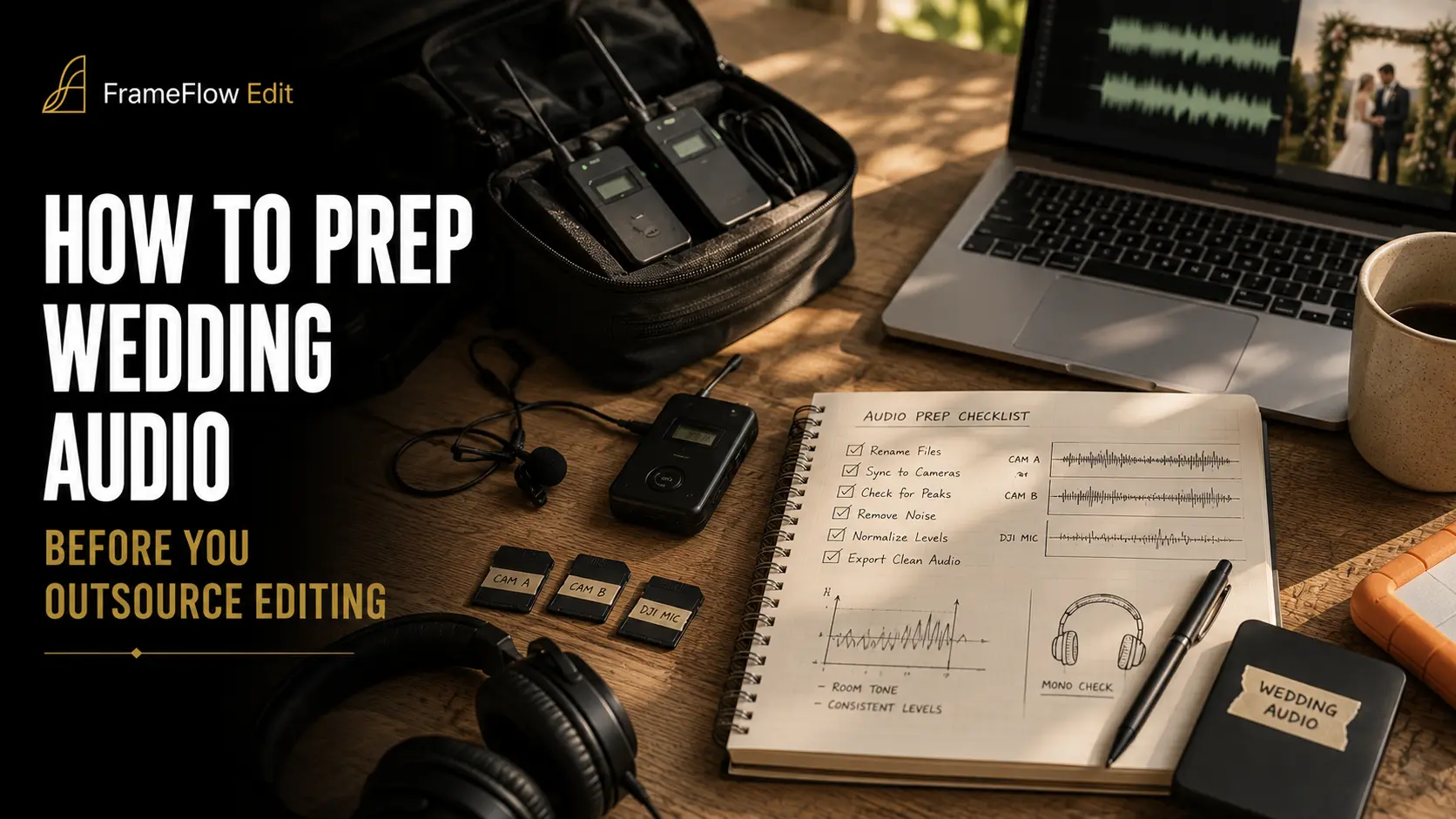
Colour can be graded. Shaky footage can be stabilised. A weak audio track cannot be invented in post — it can only be repaired, and repair always costs something. When you outsource your wedding edit, audio is the one department where the quality ceiling is set entirely on the day, by you, before a single clip reaches your editor.
This guide covers what a professional wedding videographer does with sound before the handoff: what to record, how to set it, how to label it, and how to package it so an editor who was never in the room can cut vows, speeches and ceremony ambience without guessing. It is written for videographers and studios who send work out, not for couples.
Why Audio Decides Whether Your Edit Gets Rescued or Rebuilt
An outsourced editor works from your files and your notes. Everything else — the acoustics of the chapel, which officiant mumbled, whether the bride's mic slipped under a lapel during the readings — exists only in your memory. When the audio is clean, the editor cuts to emotion. When the audio is broken, the editor spends their hours doing forensic repair, and those are hours not spent on story.
The economics are blunt. A highlight film built around usable vows and a strong speech is largely an act of selection. The same film built from a single clipped on-camera mic becomes an act of reconstruction: isolating dialogue, hiding gaps under music, cutting away from faces because the sync no longer holds. The finished piece is shorter, thinner and less personal, and the couple feels it without being able to name why.
There is a second cost that is easy to miss. Audio problems surface late. Colour issues are visible in the first pass; a buried vow only reveals itself when the editor tries to build the emotional spine of the film, often days into the job. That is when revision rounds multiply, and when a delivery date you promised the couple starts to slip.
The practical conclusion is that audio prep is not a technical chore appended to your shoot day. It is the part of your process that most directly determines whether outsourcing feels like leverage or like a repair contract. Everything in this guide follows from that.
The single question to ask before every wedding
Before you pack, answer one question: if exactly one audio source fails today, which one is it, and what covers it? A wedding has no second take. Every reliable audio plan is really a redundancy plan, and the sections below are structured around that idea rather than around gear lists.
The Four Audio Sources on Every Wedding Day
Most professional wedding audio setups reduce to four sources. They are not interchangeable — each one exists to cover a specific failure mode of the others, and an editor uses them in a specific order of preference.
The hierarchy matters more than the brand names. An editor will always cut vows from the closest clean source and use the room mic underneath it for life and space. If you only send the room mic, the editor has nothing to layer — they have one flat track that is simultaneously the dialogue and the ambience, and the two cannot be balanced separately.
Redundancy here is cheap relative to the alternative. Two body-worn recorders on the couple's side of the ceremony cost a few hundred dollars once; a ceremony with unusable vows costs a reshoot that cannot happen. If your budget only allows one investment in audio this season, make it a second independent recorder rather than an upgrade to the one you already own.
One more rule that saves editors constantly: never rely on a source you cannot monitor. A wireless link you cannot hear is a hypothesis, not a recording. Body-worn recorders that write locally to a card sidestep this entirely — the file exists regardless of what the radio link did — which is why they have become the default in weddings even where wireless is also in use.
32-bit Float vs 24-bit: What Actually Changes in Your Kit
The most consequential shift in wedding audio hardware over the last several years is the arrival of 32-bit float recording in small, body-worn devices. Recorders such as the Tascam DR-10L Pro, the Zoom F2 and the RØDE Wireless PRO all record 32-bit float files, and the practical effect is that gain-setting on the day largely stops being a risk.
In a fixed-point 24-bit recording, you choose a gain level and live with it. Set it too low and quiet vows sit near the noise floor; set it too high and a sudden laugh clips, permanently. In a 32-bit float file, the enormous dynamic range of the format means levels that look clipped in the waveform can usually be pulled back down in post without the distortion a fixed-point clip would leave behind. The recorder captures the full range and the decision moves to the edit.
Two caveats that get lost in the marketing. First, 32-bit float protects you from the recorder's converter stage — it does not protect you from a microphone that is physically overloaded or from a lav wrapped in a wool jacket. Placement still decides intelligibility. Second, if you are still recording 24-bit — and plenty of excellent wedding audio is — the discipline is unchanged: aim for dialogue to average somewhere between −18 and −12 dBFS with peaks staying below −6 dBFS, and leave headroom for the moment someone shouts. Recording hotter than that buys nothing in noise performance at 24-bit and costs you the margin.
Whichever format you use, record at a 48 kHz sample rate. That is the standard for video, it matches what your cameras record, and mixing sample rates across sources is a reliable way to introduce sync problems that an editor has to chase down manually.
The Ceremony: The Highest-Stakes Twenty Minutes
The ceremony is the only part of the day where the audio is irreplaceable and the video is secondary. A couple will forgive a soft-focus shot during the vows. They will not forgive not being able to hear them.
Placement drives everything. A lav on the groom's chest, under one layer of fabric at most, pointed away from the body, will capture both his vows and — in most ceremony geometries — the bride's, because they are standing close and facing each other. That is the single highest-value mic position at a wedding. The officiant carries the second one: they hold position for the entire ceremony, they are usually the only person amplified, and they cover readings and the pronouncement.
Start every recorder before the processional and stop it after the recessional. Do not try to be efficient with record time. A single continuous file per source, spanning the whole ceremony, is worth far more to an editor than four tidy fragments they now have to reassemble and align independently.
Test with speech, not with taps. Have the officiant say a full sentence at normal volume while you listen on headphones. A tap test confirms a connection; it tells you nothing about clothing rustle, about whether the mic is buried, or about a radio link that will fall apart when two hundred phones join the venue Wi-Fi.
Finally, note the acoustics in your handoff notes. A stone church with a long reverb tail and an outdoor ceremony in wind are two entirely different repair problems, and an editor who knows which one they are facing chooses the right tool immediately instead of experimenting.
The Reception: Speeches, Toasts and a Room Fighting You
Reception audio has the opposite profile to the ceremony. The content is longer, the room is louder, and there is usually a sound system you can tap. The best reception audio almost always comes from a board feed — a direct line out of the DJ's mixer or the venue's PA — because it captures the amplified microphone before the room smears it.
Ask for that feed early, ideally during setup rather than as the best man is standing up. Bring your own adapters: a line output is typically an XLR or a 3.5 mm jack, and levels vary enough that you should always verify by ear rather than assume. A board feed that is quietly distorting is worse than no board feed, because it looks like a working source in your notes.
Always run a second, independent source on speeches. A body-worn recorder placed on the table nearest the speaker, or a recorder clipped to the mic stand, gives the editor a fallback if the feed clips, the DJ unplugs the cable to move a speaker, or the toast is given away from the microphone entirely — which happens constantly.
One thing the board feed will not solve is music rights. Anything the DJ plays through that PA is a commercial recording, and it cannot be carried into a delivered film simply because it was in the room. Decide before the edit which moments will be scored with licensed tracks and tell your editor explicitly — this is one of the most common causes of a rebuilt first cut, and we cover the mechanics in detail in our guide to music licensing for wedding videographers who outsource editing.
Sync and File Naming: Making Audio Findable
Your editor was not there. Every naming decision you make is either a signpost or an obstacle, and at the scale of a full wedding — several cameras, several recorders, a full day — the difference is measured in hours.
Timecode is the cleanest solution. Devices such as the RØDE Wireless PRO generate timecode internally — as master, since it cannot be jammed from another device — and the Tascam DR-10L Pro supports LTC jam-sync from an external source; dedicated generators like the Tentacle Sync E can feed both cameras and recorders from a common clock. Where every device shares timecode, an editor's multicam sync is close to automatic. Re-jam during the day rather than only at the start — RØDE, for instance, recommends re-jamming devices roughly every four hours, and a wedding runs comfortably longer than that. The gap between ceremony and reception is the natural moment.
Where it is not available, waveform sync still works, but only if you give it something to work with. Keep a camera or room mic running through the same moments your body-worn recorders cover — that shared audio is what the sync algorithm matches against. A recorder whose content overlaps with nothing else has to be placed by hand.
The fallback below waveform sync is a manual slate — a clap in frame at the start of each key setup. It is unglamorous and it is reliable, and it takes a second of your day. The scenario with no reference at all is the one to avoid: aligning by eye against lip movement across a full wedding is measured in hours, and those hours appear either in your invoice or in your turnaround.
Name folders by role, not by device model. AUDIO/01_CEREMONY_GROOM_LAV tells an editor what it is; DR10L_0004 tells them what recorded it, which they do not need. Group by event block — preparation, ceremony, speeches, party — because that is how the edit is built.
Do not convert, trim or "clean up" the files before sending. Send the originals. A trimmed file loses the overlap that sync depends on, and a converted file loses the float headroom you paid for. Your editor would rather receive a large, messy, complete set than a small, tidy, lossy one. The same principle governs the whole delivery, which we break down in our wedding footage handoff checklist.
What to Fix Yourself and What to Leave for the Editor
There is a strong temptation to pre-process audio before sending it — to run noise reduction, to normalise, to clean up what you know is rough. In almost every case this makes the final result worse, because processing is destructive and the editor has no way back to the original.
The division is consistent: you supply knowledge, the editor supplies processing. Modern repair tools are extremely capable — Voice Isolation in DaVinci Resolve Studio, Dialogue Isolate in iZotope RX, Enhance Speech in Adobe's ecosystem — and all of them work best on unprocessed source. What they cannot supply is context. Only you know that the officiant's radio mic died during the readings, or that the bride's mother is the one crying in the second row and the couple will want that moment kept.
Notes that actually help an editor
Useful notes are specific and timestamped. "Ceremony audio is a bit rough" is not actionable. "Groom lav good throughout; officiant lav has rustle from 00:07:30 to 00:09:10 during the second reading; use groom lav there" is a decision the editor can execute without a single message back to you. Two or three lines of this quality routinely save a full revision round.
The Audio Handoff Package
Everything above resolves into a package. This is the checklist to run before you upload, and it is worth keeping as a template you fill in for every wedding rather than reconstructing from memory each time.
Send this alongside your visual brief rather than in a separate message. An editor working through a full wedding wants one document that answers questions before they arise, and the same logic applies to the look of the film — the reasoning behind a good written brief is set out in our guide to briefing your colour grade when you outsource.
A note on delivery loudness
Final loudness is the editor's responsibility, but it helps to share a target. Streaming platforms normalise playback: YouTube turns down material that is louder than roughly −14 LUFS integrated rather than turning quiet material up, so a film mixed far louder than that simply gets attenuated and loses its dynamic range in the process. If you have a house standard, state it once in your brief and it stops being a per-project conversation.
Building this into a repeatable process
A checklist used once is a document. A checklist used every wedding is a process, and process is what makes outsourcing scale.
Standardise your kit so that every wedding produces the same file shapes. If one wedding arrives as two 32-bit float lav tracks plus a board feed and the next arrives as an on-camera mix plus a phone recording, your editor relearns your workflow every time — and relearning is billable, in money or in turnaround.
Build the audio prep into your day timeline explicitly. Mic-up is a scheduled task with a time attached, not something you do if the getting-ready coverage finishes early. A recurring cause of catastrophic wedding audio failure is a mic fitted in the last moments before the processional and never tested.
Review your own audio after each wedding, briefly. Listen to five minutes of the ceremony and one full speech before you upload. This is the cheapest quality gate you will ever run: it costs ten minutes and it catches the failures that would otherwise be discovered by your editor two days later, when your options have narrowed to apologising to the couple.
Then let the editor edit. The whole point of outsourcing is that the specialist work happens somewhere other than your evenings. Your job on the day is to hand over a set of files that contains the wedding — clean, complete, labelled, with the context that only you have. Everything downstream gets easier when that is true, and nothing downstream can compensate when it is not.
Frequently Asked Questions
How many audio sources do I need for a wedding ceremony?
Two independent sources on the ceremony is the practical minimum, and most experienced shooters run a third as insurance. The pairing that covers the most failure modes is a body-worn recorder on the groom plus a second on the officiant, with a camera or shotgun mic capturing room tone as a third layer. The reason is redundancy rather than richness: with one source, any failure is total, while with two independent recordings the odds of losing the vows entirely become very small.
Does 32-bit float mean I can stop setting levels?
It means gain-setting on the recorder is no longer the critical decision it once was, which is why several 32-bit float recorders ship without a gain knob at all. It does not mean audio no longer needs attention. Microphone placement, clothing rustle, wind and radio dropouts are all unaffected by the recording format, and a lav buried under a buttoned jacket sounds buried in any bit depth. Treat 32-bit float as insurance against one specific failure — clipping — and keep every other habit intact.
Should I clean up the audio before sending it to my editor?
No. Send the original files untouched. Noise reduction and dialogue isolation are destructive processes, and an editor who receives an already-processed file cannot undo artefacts or make a different trade-off between noise and naturalness. What genuinely helps is a written note listing where the problems are, with timestamps, so the editor knows where to spend their repair time rather than auditioning the whole day.
What is the fastest way to sync audio with multicam wedding footage?
Shared timecode across all cameras and recorders is the fastest path, and it is the reason dedicated timecode generators exist. Where that is not available, waveform matching works well provided every source has overlapping audio — which means keeping a camera or room mic running continuously through the same moments your separate recorders cover. The slowest scenario is a recorder whose audio matches nothing else, because it has to be aligned by hand.
How do I record speeches when the venue has no sound system?
Place an independent recorder as close to the speaker as you can without it appearing in frame — clipped to a mic stand, tucked on the top table near the speaker's position, or handed to them as a lav if the format allows. Then keep a directional mic on a stand pointed at the speaking position as a second source. Without a PA there is no board feed to fall back on, so proximity is doing all the work, and the difference between a recorder two feet away and one across the table is the difference between an intelligible toast and an unusable one.
Can an editor fix badly recorded wedding vows?
Partially, and it depends entirely on what went wrong. Noise, hum, reverb and moderate distortion can be improved substantially with current dialogue isolation tools. What cannot be fixed is missing information: if the vows were never captured above the ambience, no amount of processing will reveal words that were not recorded. This asymmetry is the whole argument for redundancy — repair works on a signal that exists, and there is no tool for one that does not.